
 January 30, 2014
If you want to add Internet Explorer 11 as a Browser Type when you configure a Load Test with Visual Studio 2013 you simply have to create a file named IE11.browser with the following contents:
<Browser Name="Internet Explorer 11.0" MaxConnections="6">
  <Headers>
    <Header Name="User-Agent" Value="Mozilla/5.0 (Windows NT 6.3; Trident/7.0; rv:11.0) like Gecko" />
    <Header Name="Accept" Value="*/*" />
    <Header Name="Accept-Language" Value="{{$IEAcceptLanguage}}" />
    <Header Name="Accept-Encoding" Value="GZIP" />
  </Headers>
</Browser>
Save the file to the following directory:
C:\Program Files (x86)\Microsoft Visual Studio 12.0\Common7\IDE\Templates\LoadTest\Browsers
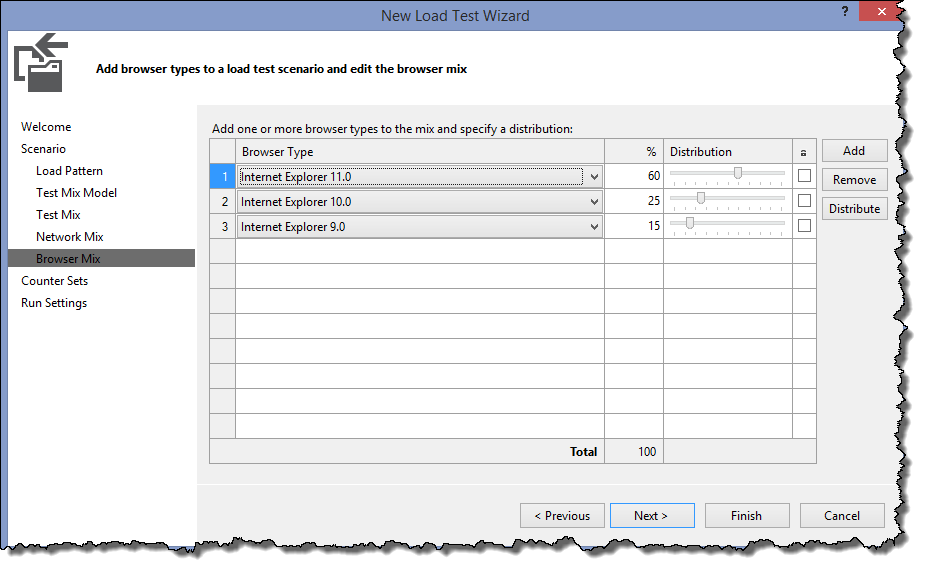
When you go through the Load Test Wizard after adding a Load Test to your Test Project you will be able to select Internet Explorer 11 as a browser.


 Azure DevOps and Visual Studio Awesomeness
Thats awsome! and works perfect! 😉
LikeLike