

Update your URL for your organization In the settings for your organization you can update your URL from {organization}.visualstudio.com to dev.azure.com/{organization}. Of course once you do this some of the environment variables used by Build and Release will change and if you took a dependency on their format things will break. We happened to have […]
Continue reading
Archive by Author





Testing your CosmosDB apps locally without actually using Azure
 July 7, 2019
  0 Comments
I think you’ll find this implementation of CosmosDB Server for testing your applications locally quite interesting. We will going through the following steps: Download node Make an empty package.json file Install cosmosdb-server using npm Create an app.js file Install cosmos dependency using npm Start your cosmosdb-server Make sure in your TestClass TestInitialize method to ignore […]
Continue reading Delete your resource groups in parallel using the az group command
July 7, 2019 0 Comments
Donovan Brown posted a How to on this earlier this year, I wanted to see if it was possible to do it using the az group command. This is what I finally came up with. I downloaded and installed the latest PowerShell Core for Windows from GitHub releases. I picked the latest preview V7.0.0-preview.1 release […]
Continue reading DevOps with Dynamics 365 using VSTS
July 29, 2018 13 Comments
I have put together a combination of scripts, tools and extensions to get the Dynamics “solution” under version control as well as incorporate continous integration (CI) and continous deployment (CD) using Visual Studio Team Services (VSTS). Hopefully this post is helpful to others who wish to sprinkle some DevOps on their Dynamics 365 development, if […]
Continue reading Visual Studio Web Application Debugging using SSL with Chrome Error
March 27, 2018 0 Comments
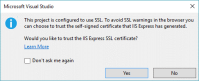
If you are trying to debug your website using Visual Studio 2017 and Chrome with an HTTPS link you might encounter an error in Chrome because of the new security restrictions. I was asked by someone for help to fix an error message being displayed in Chrome ERR_SPDY_INADEQUATE_TRANSPORT_SECURITY on their Windows 10 (1607) desktop. If […]
Continue reading Continuous Delivery of your NuGet Packages with VSTS – SemVer
March 18, 2018 19 Comments
This post is a continuation of my first post on the topic of NuGet packages. This post, however, will focus on using Semantic Versioning of your NuGet packages. The previous post published a NuGet package and used the Package Management Views in VSTS to demonstrate the quality of the package as it moved through the […]
Continue reading Continuous Delivery of your NuGet Packages with VSTS
January 21, 2018 13 Comments
This post will show one approach you can use for your NuGet with VSTS, I shall show you how you can use the release views in a NuGet Package feed to communicate package quality. Versioning NuGet packages in a Continuous Integration and Delivery (CI/CD) environment has been a topic of discussion and even resulted in […]
Continue reading Running the Ubuntu VSTS Agent on Windows Subsystem for Linux (WSL)
September 3, 2017 2 Comments
I was playing with the new ASP.NET Core Template in Visual Studio 2017 and I thought it would be interesting to spin up a Linux Agent right on my Windows 10 Pro installation. UPDATE: September 5th, 2017 – Upgrade Git Client to 2.14.1 from 2.7.4 Turn Windows Features On or Off You need to enable […]
Continue reading TFS 2017 Update 2 RC2 and work item type icons
July 21, 2017 0 Comments
Hello, Thanks for visiting. If you have installed Update 2 RC1 or RC2 for TFS 2017 you may have noticed that all of your work item icons are different colored clip boards with a checkmark. It doesn’t have to be this way 🙂 If you would like to use the new icons that are […]
Continue reading The first Global DevOps Bootcamp !
May 11, 2017 0 Comments
Originally posted on The Road to ALM:
Maybe some of you are familiar with Global Azure Bootcamp. This yearly global event is hosted by many communities throughout the world and is a great success. As a fanatic DevOps adept, I wanted to do something similar but around DevOps. And…I am proud to present that on…
- Team Foundation Server 2010 Build Agent not part of the domain
-
 Continuous Delivery of your NuGet Packages with VSTS – SemVer
-
 Continuous Delivery of your NuGet Packages with VSTS
-
 DevOps with Dynamics 365 using VSTS
-
 The new web based Release Management “V.Next”
-
 Creating YAML Templates for Flyway CLI in Azure DevOps
- Azure DevOps Server 2022 RC1 Upgrade Notes
-
 Copy files on the target server back to the Azure DevOps Agent
-
 Visual Studio Installer – Update Channels
-
 Integrate Azure DevOps work items into your work search results (Microsoft Bing)
-
Lance I: Thank yyou...
-
Wes MacDonald: You can use the Set Version task in this extension...
-
chandra: If possible could you please share the Powershell ...
- Top Stories from the Microsoft DevOps Community – 2021.01.08 - Microsoft Today: […] Integrate Azure DevOps work items into y...
-
 Azure DevOps and Visual Studio Awesomeness