
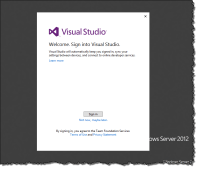
Sign in to Visual Studio 2013 within 14 days with your Microsoft account to synchronize your settings across multiple machines and register your product. NOTE: For Visual Studio 2013 Preview, this experience is only available in English. Here are the screenshots for the experience If you have two-factor authentication enabled use the Authenticator App and […]
Continue reading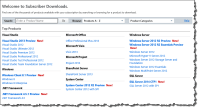
Visual Studio 2013 Preview and even more previews…
 June 26, 2013
  0 Comments
Even if you don’t have an MSDN subscription it is still possible to get all of the previews that have been mentioned at Build 2013 and TechEd 2013 Windows Client 8.1 Preview Visual Studio 2013 Preview Team Foundation Server 2013 Preview .NET Framework 4.5.1 Preview SQL Server 2014 CTP 1 System Center 2012 R2 Preview […]
Continue reading
Microsoft Monitoring Agent 2013 Preview includes updated IntelliTrace Standalone Collector
June 26, 2013 0 Comments
Microsoft has released previews of the updated Microsoft Monitoring Agent 2013 for both 32-bit and 64-bit platforms. It now includes the IntelliTrace Standalone Collector which supports the following editions of Visual Studio: Visual Studio Ultimate 2013 Preview Visual Studio Ultimate 2012.2 (Update 2) The IntelliTrace Collector is located in the following directory: C:\Program Files\Microsoft Monitoring Agent\Agent\IntelliTraceCollector […]
Continue readingRangers ship BRDLite (Build-Release-Deploy)
February 20, 2013 3 Comments
Located on CodePlex: BRDLite Reference Templates. BRDLite is the ALM Rangers 1st investment in the DevOps domain which is going to continue to be one of their focus areas in future so stay tuned! Make sure to follow the project. The Build Release and Deploy (BRD) Lite is a set of build process reference templates […]
Continue reading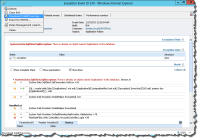
Welcome to the New Age | SCOM 2012 SP1 and TFS 2010/2012 (DevOps)
February 4, 2013 1 Comment
Operations Manager 2012 SP1 enables in-production, always-on root-cause monitoring and analysis of .NET Applications. AVIcode Intercept 5.7 functionality was shipped in the SCOM 2012 RTM last year. What can I expect from application monitoring Efficient troubleshooting of issues related to .NET based applications in all of your environments (QA, Stage, Pre-Prod and Production) Able to perform […]
Continue reading
What do you mean you haven’t installed SharePoint 2013 yet ;)
November 24, 2012 2 Comments
The SharePoint Conference is over and I thought my head was going to explode! This conference was packed full of information and details about the 2013 releases of SharePoint Online and SharePoint On-Premise (I know on-premise is not a real word). 274 sessions if I recall correctly 😉 My first day of the conference I […]
Continue reading
Web Testing SharePoint 2010 with Visual Studio 2012 Update 1 CTP 3
October 28, 2012 0 Comments
UPDATE: 10/29/2012 – Updated link text for Update 1 from CTP 3 to Update 1 CTP 4 Final I am certain this has been a long standing request from Visual Studio by the community, myself included. If you’ve attempted this in the past with previous versions of Visual Studio you would have realized quickly that […]
Continue reading
FAST Search for SharePoint: Cannot start service FASTSearchMonitoring on computer ‘.’
October 22, 2012 0 Comments
We recently had a scenario where we applied some Windows Updates to our servers. When our FAST Server for SharePoint Servers were rebooted after applying the updates the following FAST services were listed as “Dead”: QRProxy Service qrproxy SAM Admin samadmin SAM Worker samworker It should also be noted that these FAST Servers are NOT […]
Continue reading
Exploratory Testing in Microsoft Test Manager
September 21, 2012 0 Comments
This is a feature you can find in the latest release of Microsoft Test Manager included with Visual Studio Ultimate 2012, Visual Studio Premium 2012 or Visual Studio Test Pro 2012. If you’re interesting in the entire feature comparison across editions you can see it here. In the screenshot above I launched Microsoft Test Manager […]
Continue reading
Using Friendly DNS Names in Visual Studio 2010 Lab Management
June 27, 2012 2 Comments
If you’ve spent some time with Lab Management, specifically where you’ve leveraged Network Isolation you will have noticed the nice fully qualified domain names assigned to the external network adapter identified in the diagram below as “Computer name:”. If you want to create easier to remember names for your VMs you could create some CNAMEs in your […]
Continue reading- Team Foundation Server 2010 Build Agent not part of the domain
-
 Continuous Delivery of your NuGet Packages with VSTS – SemVer
-
 Continuous Delivery of your NuGet Packages with VSTS
-
 DevOps with Dynamics 365 using VSTS
-
 The new web based Release Management “V.Next”
-
 Creating YAML Templates for Flyway CLI in Azure DevOps
- Azure DevOps Server 2022 RC1 Upgrade Notes
-
 Copy files on the target server back to the Azure DevOps Agent
-
 Visual Studio Installer – Update Channels
-
 Integrate Azure DevOps work items into your work search results (Microsoft Bing)
-
Lance I: Thank yyou...
-
Wes MacDonald: You can use the Set Version task in this extension...
-
chandra: If possible could you please share the Powershell ...
- Top Stories from the Microsoft DevOps Community – 2021.01.08 - Microsoft Today: […] Integrate Azure DevOps work items into y...
-
 Azure DevOps and Visual Studio Awesomeness